¶ Installation des systèmes sur les noeuds du LAB CEPH
La machine virtuelle “passerelle” permettant le NAT réseau est démarrée sur l'infrastructure.
Les serveurs seront installés sur Ubuntu Server 24.04-3 à partir d'une ISO :
guillaume@rocket:~/ISO$ pwd
/home/guillaume/ISO
guillaume@rocket:~/ISO$ ls
ubuntu-24.04.3-live-server-amd64.iso¶ 1. Installation de VTSOCK01
¶ Démarrage de la VM
- Démarrage de la VM :
virt-install \
  --name VSTOCK01 \
  --memory 4096 \
  --vcpus 2 \
  --cpu host \
  --os-variant ubuntu24.04 \
  --cdrom ~/ISO/ubuntu-24.04.3-live-server-amd64.iso \
  --disk path=~/LabCEPH/VM/VSTOCK01-system.qcow2,format=qcow2,bus=virtio \
  --disk path=~/LabCEPH/VM/VSTOCK01-osd1.qcow2,format=qcow2,bus=virtio \
  --disk path=~/LabCEPH/VM/VSTOCK01-osd2.qcow2,format=qcow2,bus=virtio \
  --network network=lan_interne_infra,model=virtio \
  --network network=lan_op_ceph,model=virtio \
  --graphics none \
  --console pty,target_type=serial \
  --boot useserial=on
guillaume@rocket:~$ virt-install   --name VSTOCK01   --memory 4096   --vcpus 2   --cpu host   --os-variant ubuntu24.04   --cdrom ~/ISO/ubuntu-24.04.3-live-server-amd64.iso   --disk path=~/LabCEPH/VM/VSTOCK01-system.qcow2,format=qcow2,bus=virtio   --disk path=~/LabCEPH/VM/VSTOCK01-osd1.qcow2,format=qcow2,bus=virtio   --disk path=~/LabCEPH/VM/VSTOCK01-osd2.qcow2,format=qcow2,bus=virtio   --network network=lan_interne_infra,model=virtio   --network network=lan_op_ceph,model=virtio   --graphics spice   --noautoconsole

Début d’installation…
Création du domaine…                                        |    0 B  00:00

Domain is still running. Installation may be in progress.
You can reconnect to the console to complete the installation process.
- Accès à la VM à travers virt-manager pour dérouler l'installation
guillaume@rocket:~$ sudo virt-manager ¶ Screen d'installation
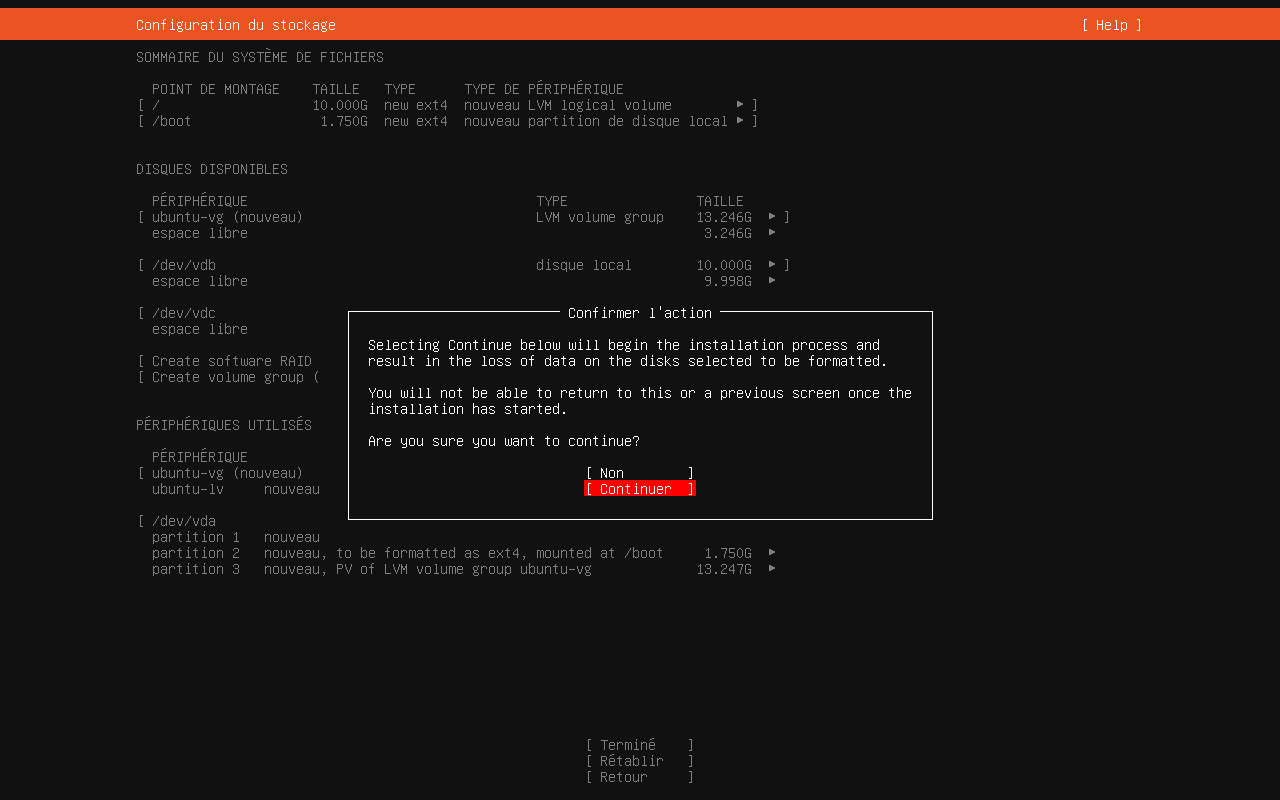
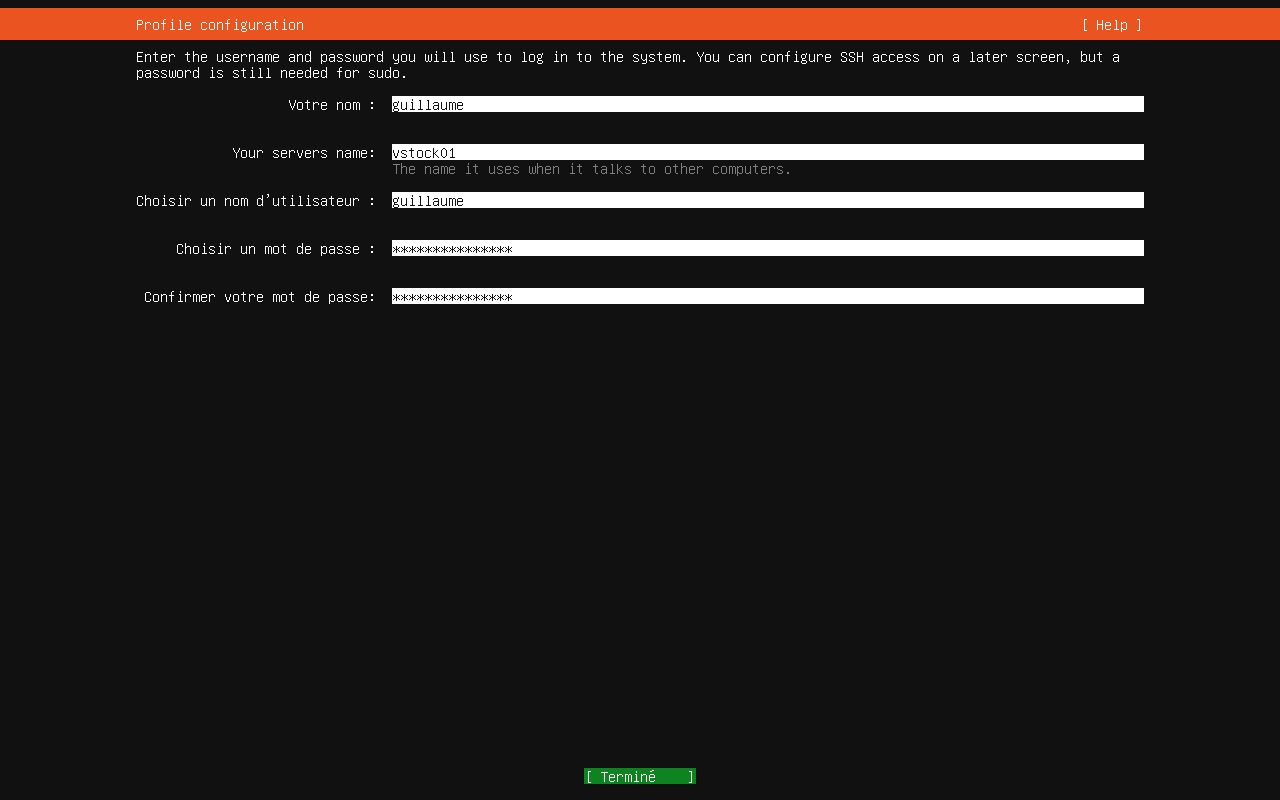
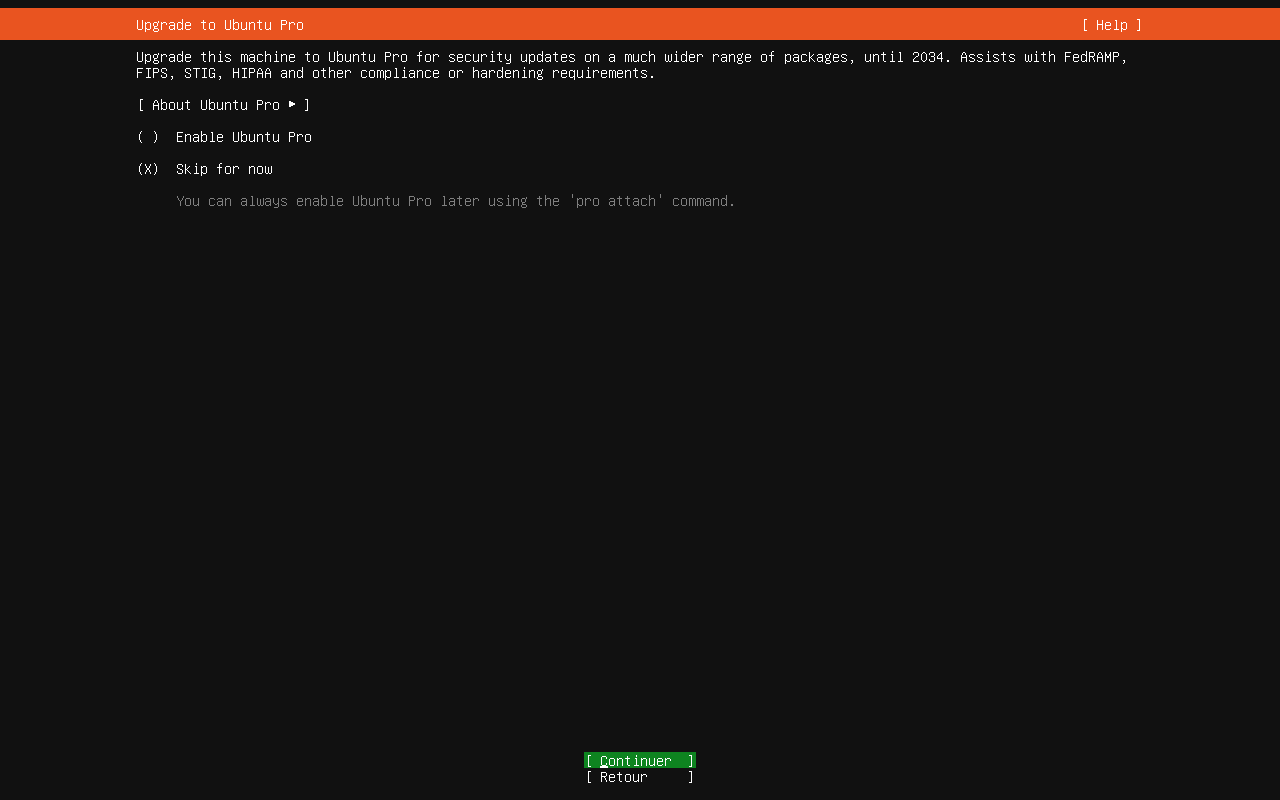
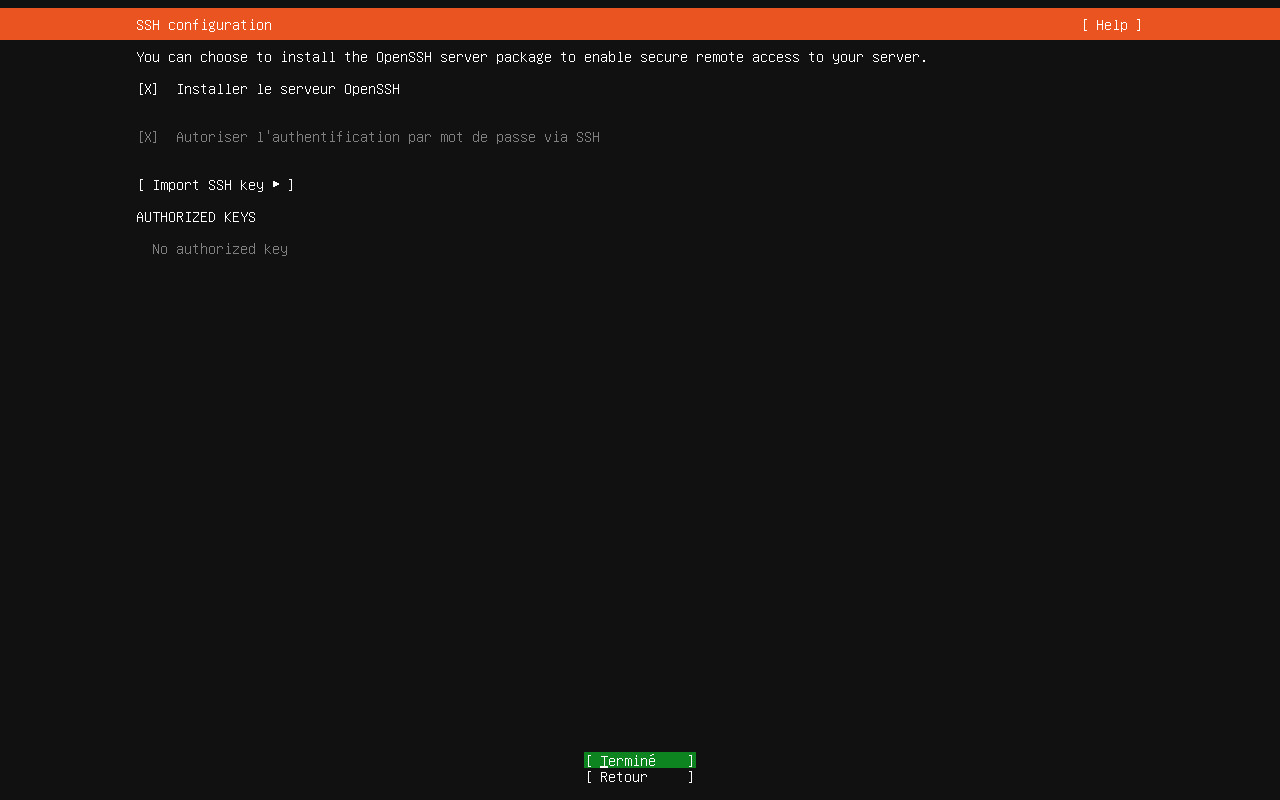
L'adressage réseau sera configuré post-installation via netplan
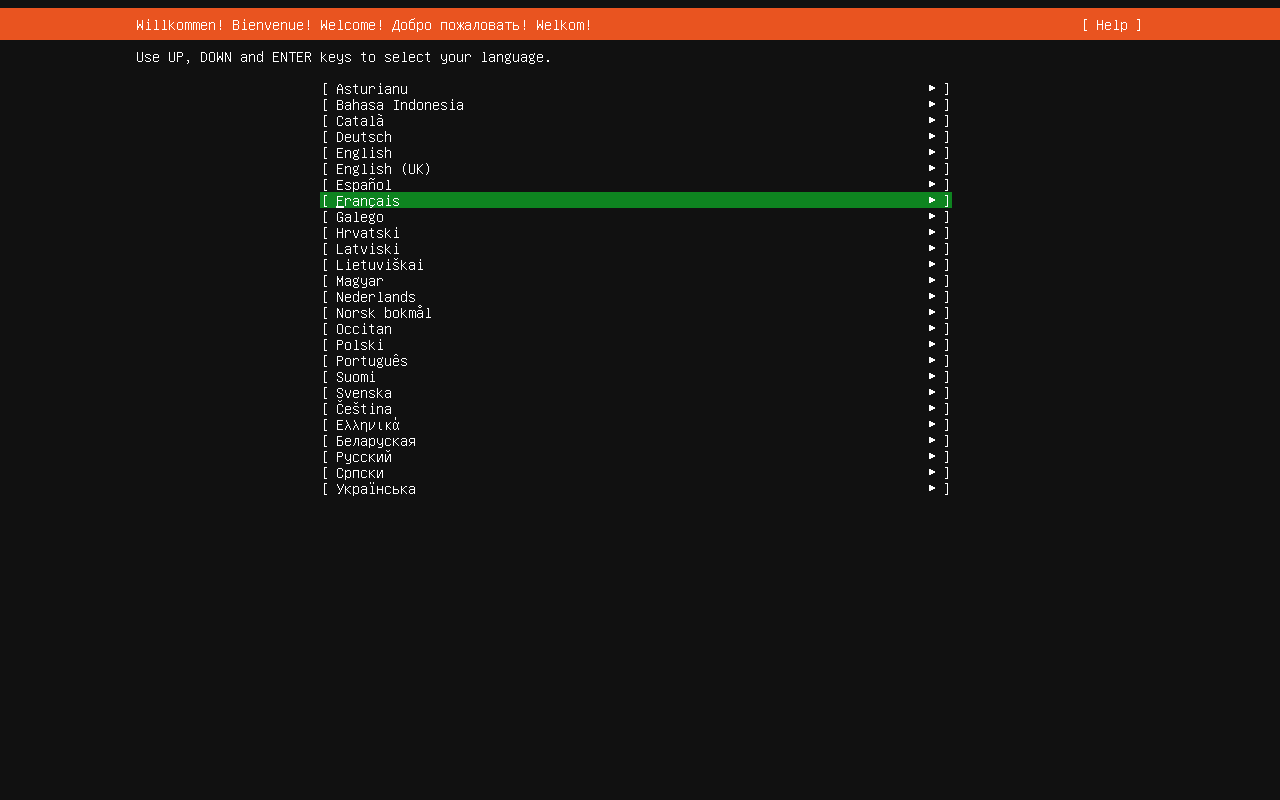
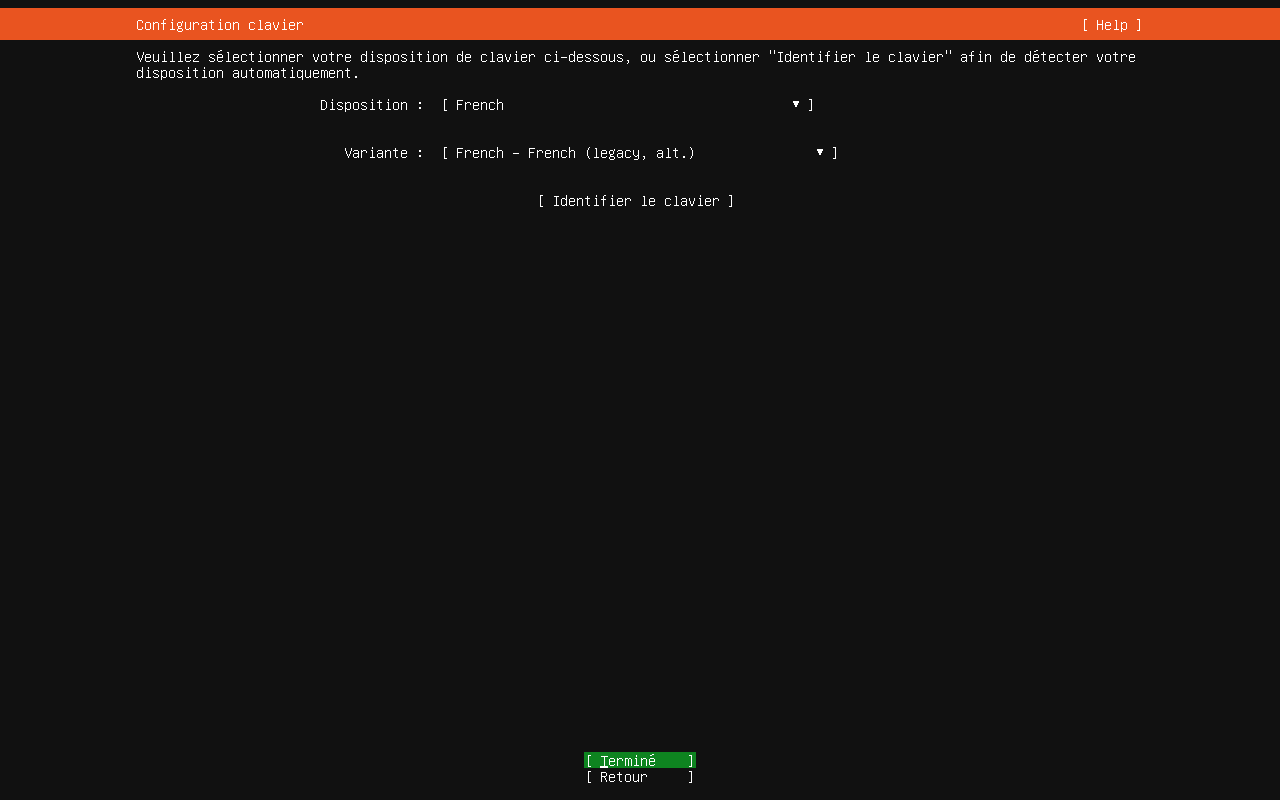
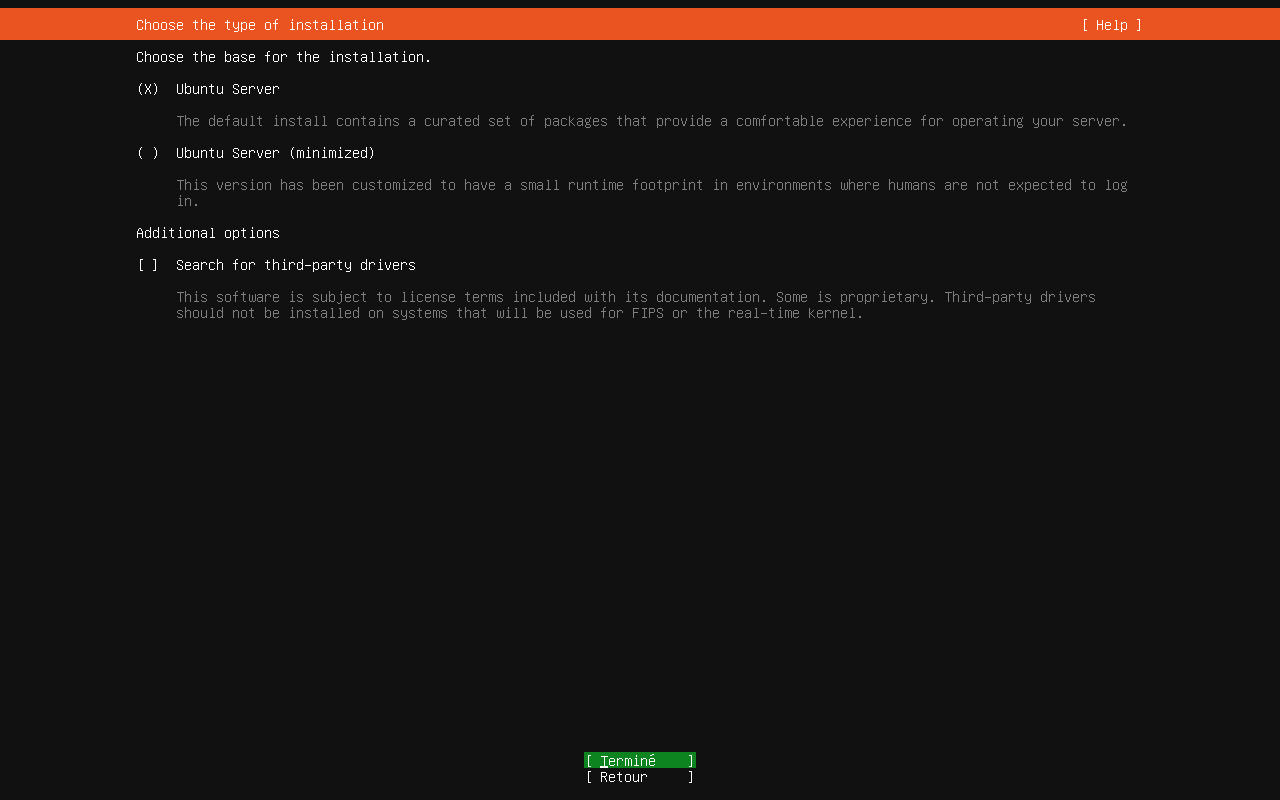
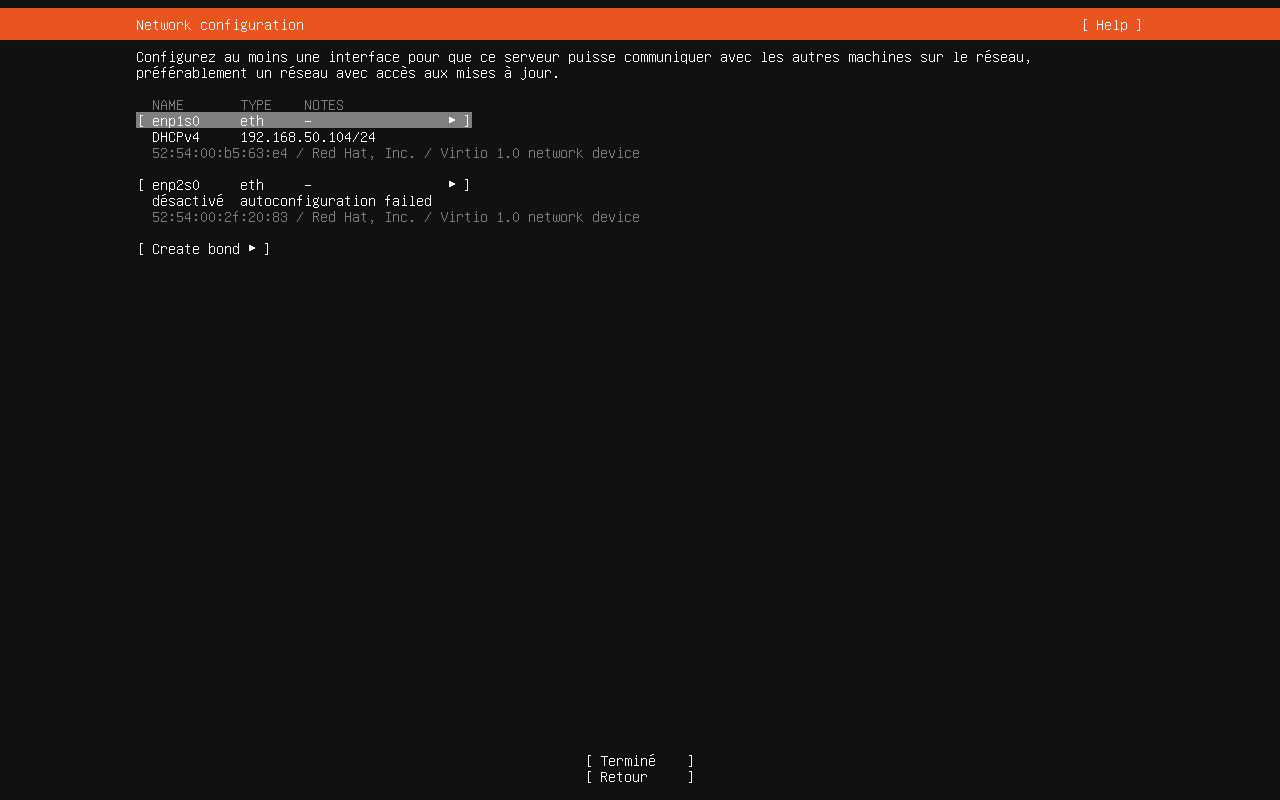
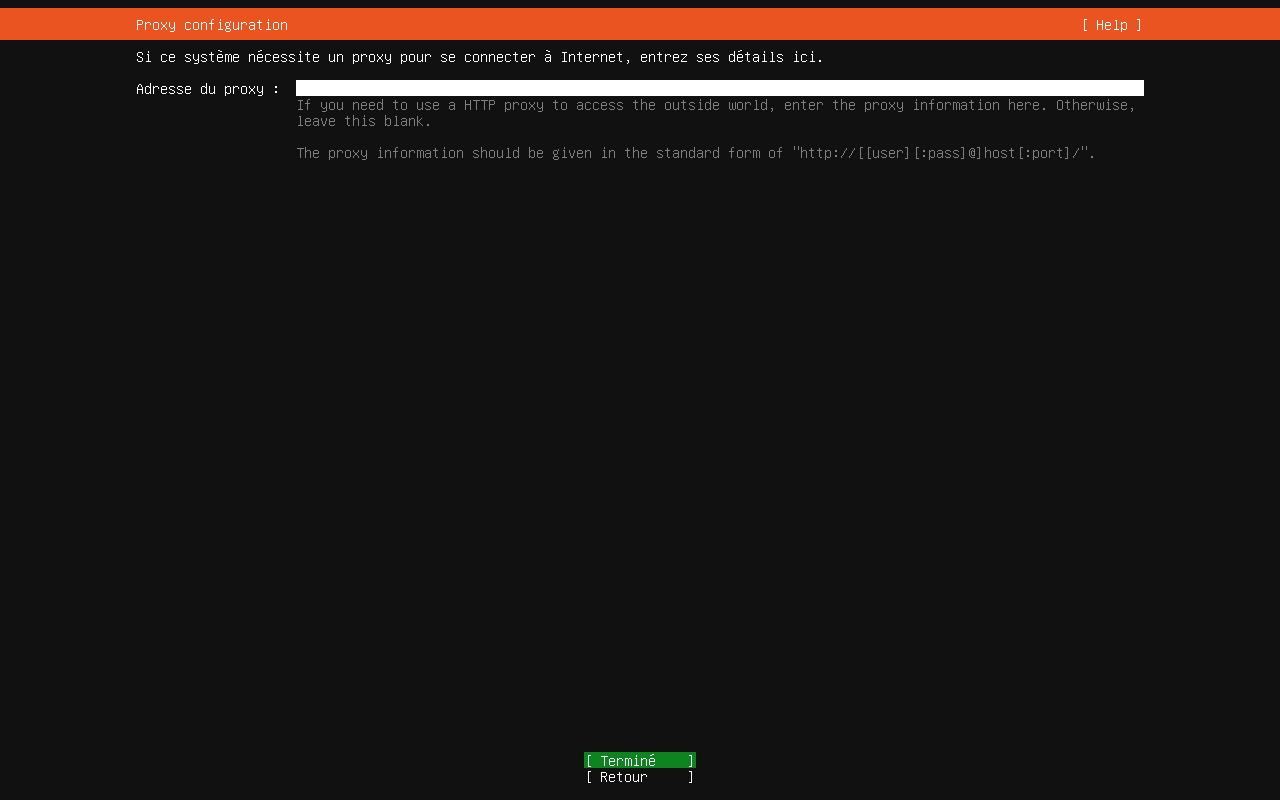
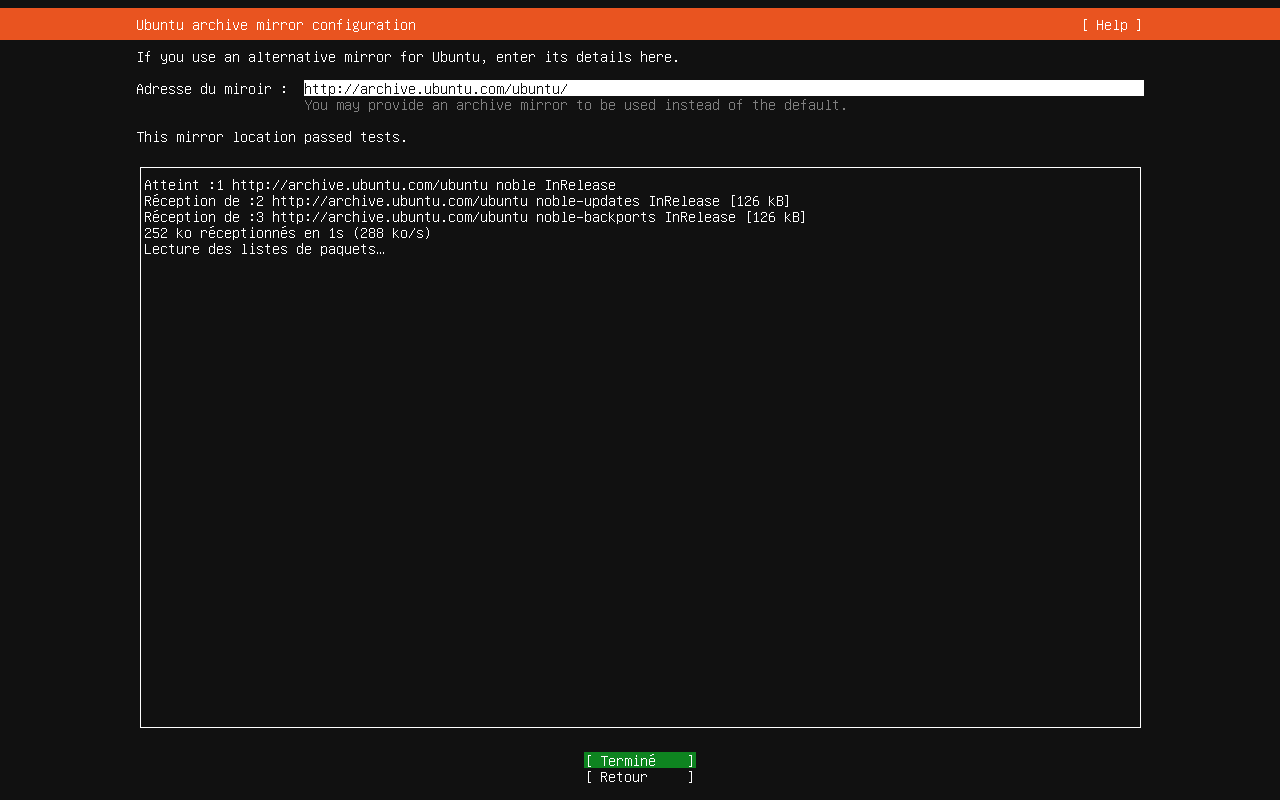
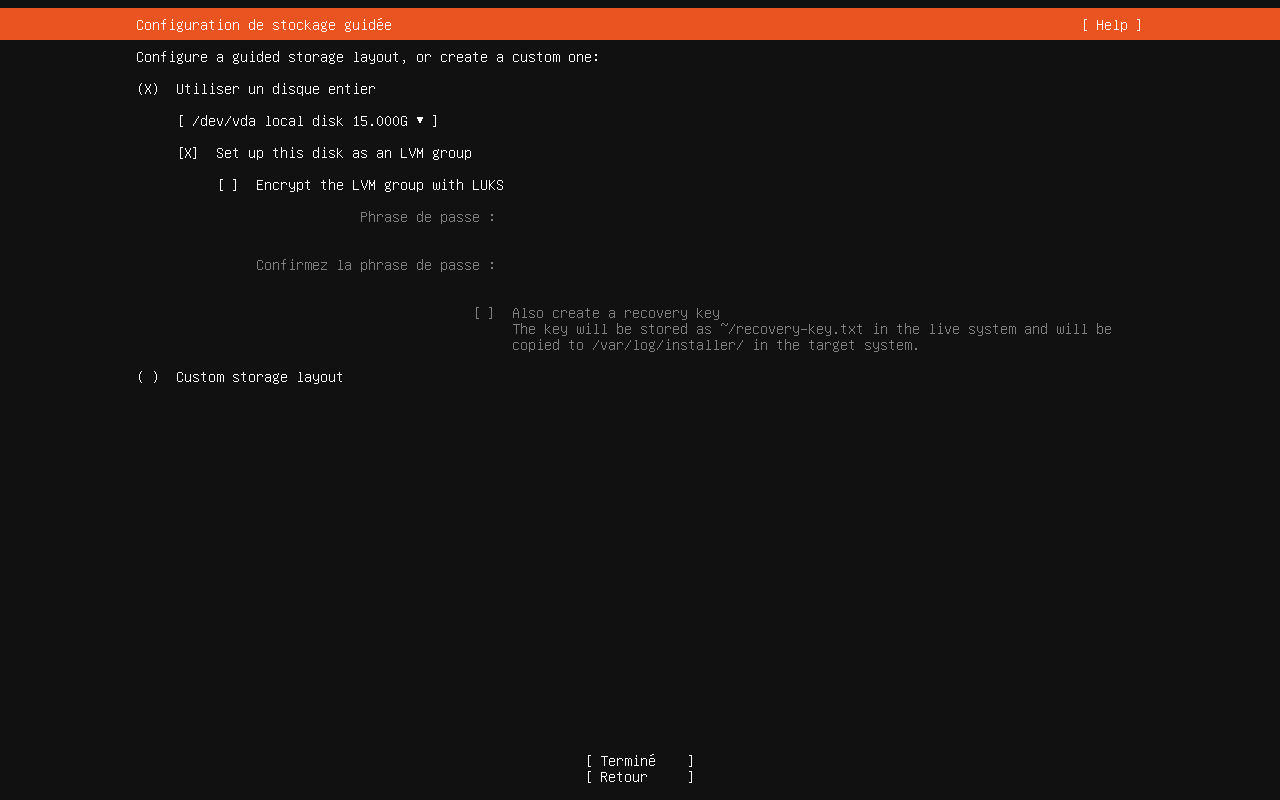
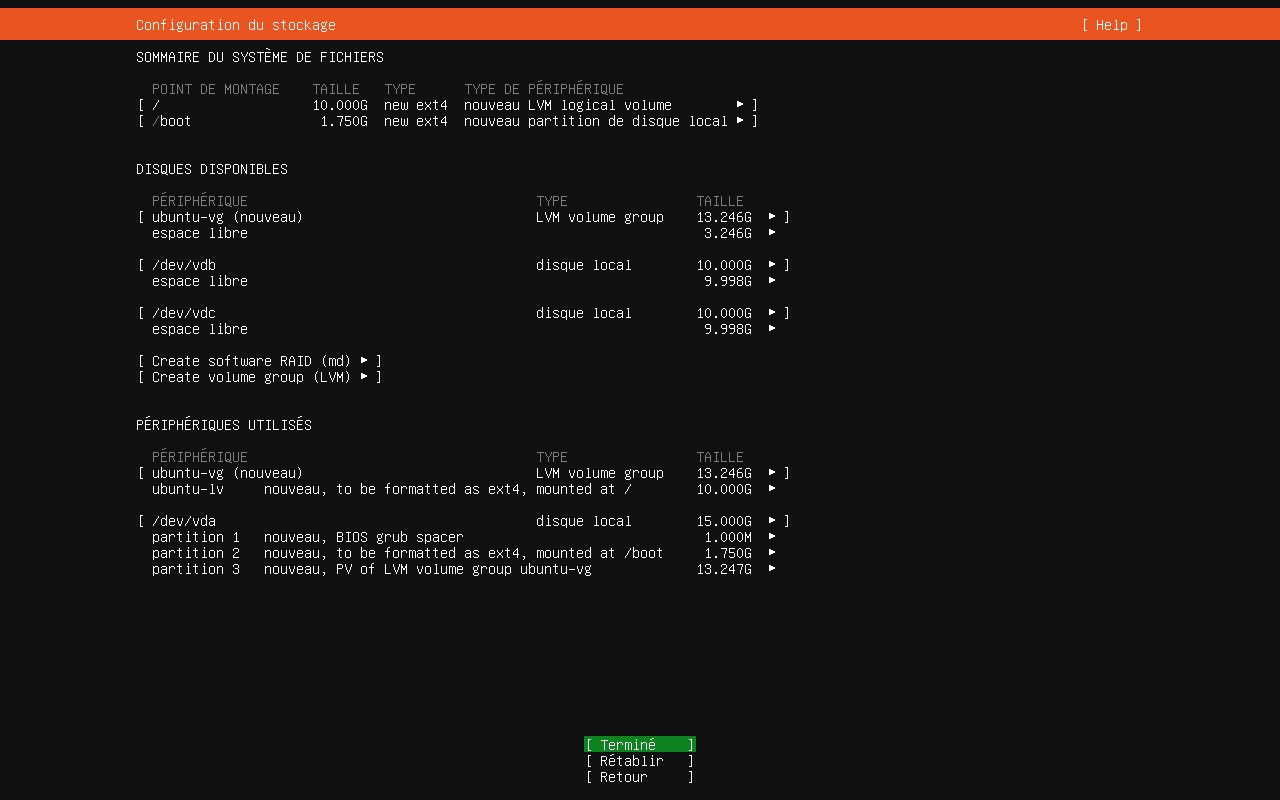
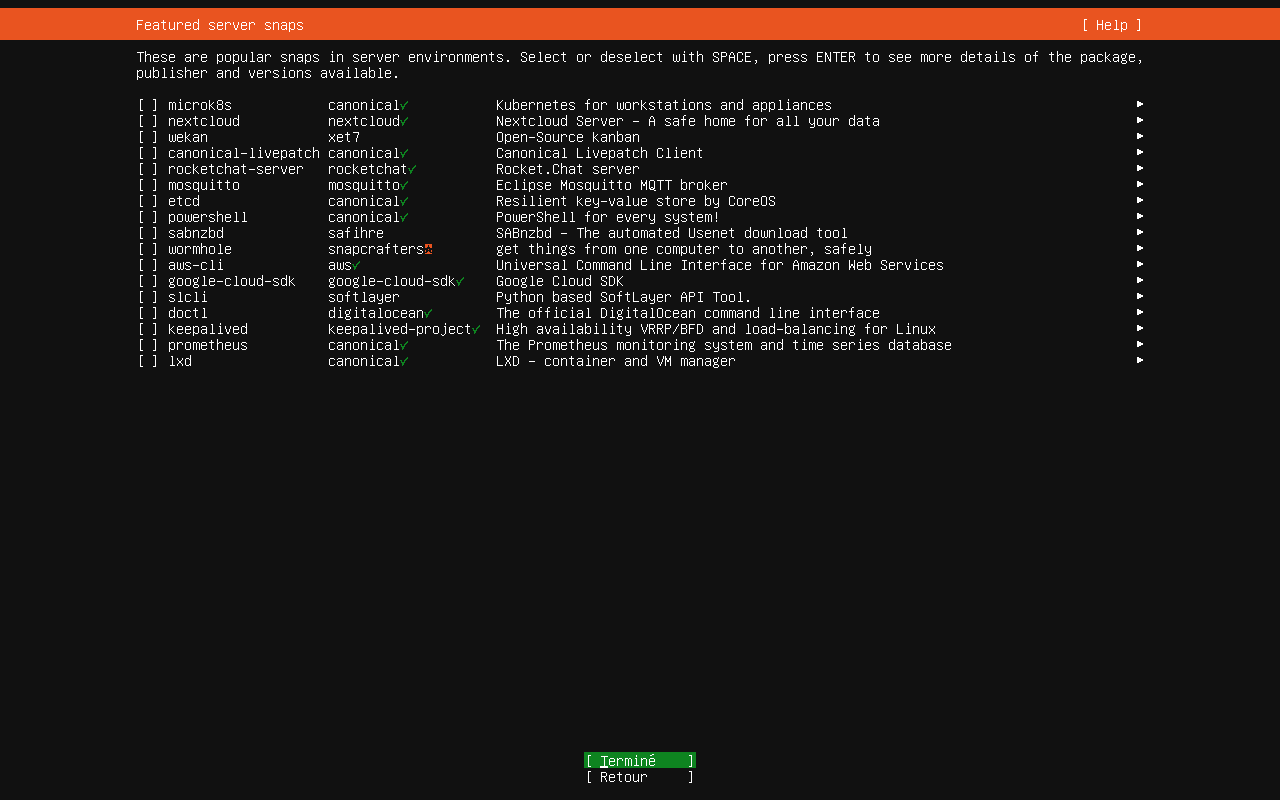
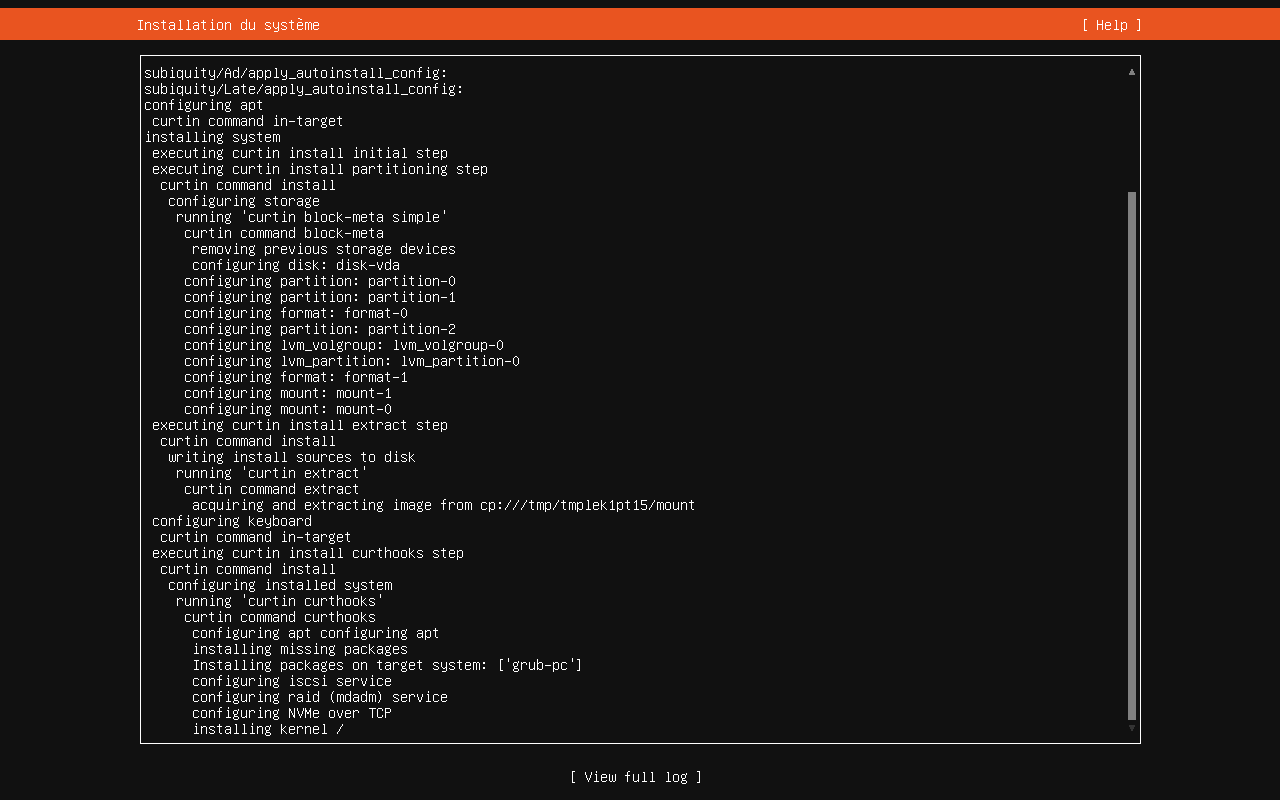
- A la fin de l'installation, redémarrer le serveur.
¶ Premier démarrage et configuration des interfaces réseaux
Au premier démarrage du serveur, ici, il dispose d'une adresse IP délivrée par le DHCP de la passerelle. Il est nécessaire de définir l'adressage final du serveur via netplan.
- se connecter en ssh sur vstock01 :
guillaume@rocket:~$ ssh guillaume@192.168.50.104
The authenticity of host '192.168.50.104 (192.168.50.104)' can't be established.
ED25519 key fingerprint is SHA256:jeLxhR8zU3tWEOD939SIgoxGJUEWxSvCOCMIPHkmL1U.
This key is not known by any other names.
Are you sure you want to continue connecting (yes/no/[fingerprint])? yes
Warning: Permanently added '192.168.50.104' (ED25519) to the list of known hosts.
guillaume@192.168.50.104's password:
Welcome to Ubuntu 24.04.3 LTS (GNU/Linux 6.8.0-90-generic x86_64)

 * Documentation:  https://help.ubuntu.com
 * Management:     https://landscape.canonical.com
 * Support:        https://ubuntu.com/pro

 System information as of ven. 26 déc. 2025 12:36:15 UTC

  System load:  0.01              Processes:               138
  Usage of /:   25.6% of 9.75GB   Users logged in:         0
  Memory usage: 4%                IPv4 address for enp1s0: 192.168.50.104
  Swap usage:   0%


La maintenance de sécurité étendue pour Applications n'est pas activée.

59 mises à jour peuvent être appliquées immédiatement.
Pour afficher ces mises à jour supplémentaires, exécuter : apt list --upgradable

Activez ESM Apps pour recevoir des futures mises à jour de sécurité supplémentaires.
Visitez https://ubuntu.com/esm ou executez : sudo pro status


To run a command as administrator (user "root"), use "sudo <command>".
See "man sudo_root" for details.

guillaume@vstock01:~$ - Identification des interfaces :
guillaume@vstock01:~$ ip a
1: lo: <LOOPBACK,UP,LOWER_UP> mtu 65536 qdisc noqueue state UNKNOWN group default qlen 1000
    link/loopback 00:00:00:00:00:00 brd 00:00:00:00:00:00
    inet 127.0.0.1/8 scope host lo
       valid_lft forever preferred_lft forever
    inet6 ::1/128 scope host noprefixroute
       valid_lft forever preferred_lft forever
2: enp1s0: <BROADCAST,MULTICAST,UP,LOWER_UP> mtu 1500 qdisc fq_codel state UP group default qlen 1000
    link/ether 52:54:00:b5:63:e4 brd ff:ff:ff:ff:ff:ff
    inet 192.168.50.104/24 metric 100 brd 192.168.50.255 scope global dynamic enp1s0
       valid_lft 505sec preferred_lft 505sec
    inet6 fe80::5054:ff:feb5:63e4/64 scope link
       valid_lft forever preferred_lft forever
3: enp2s0: <BROADCAST,MULTICAST> mtu 1500 qdisc noop state DOWN group default qlen 1000
    link/ether 52:54:00:2f:20:83 brd ff:ff:ff:ff:ff:ff
- Localisation du fichier netplan :
guillaume@vstock01:~$ sudo -s
[sudo] password for guillaume:
root@vstock01:/home/guillaume# cd /etc/netplan/
root@vstock01:/etc/netplan# ls
50-cloud-init.yaml
- Actuellement le fichier 50-cloud-init.yaml reprend une configuration d'une interface en DHCP :
root@vstock01:/etc/netplan# cat 50-cloud-init.yaml
network:
  version: 2
  ethernets:
    enp1s0:
      dhcp4: true
- Modification du fichier pour paramétrer les deux interfaces :
root@vstock01:/etc/netplan# vim 50-cloud-init.yaml Contenu du fichier :
network:
  version: 2
  ethernets:
    enp1s0:
      dhcp4: false
      addresses:
        - 192.168.50.31/24
      routes:
        - to: default
          via: 192.168.50.254
      nameservers:
        addresses:
          - 192.168.50.254
    enp2s0:
      dhcp4: false
      addresses:
        - 192.168.120.1/24
- Vérification de la configuration :
root@vstock01:/etc/netplan# netplan generate
- Application de la configuration (Attention, va couper la connexion ssh, il sera de refaire une connexion vers l'adresse 192.168.50.31) :
netplan apply
- Vérifications (après reconnexion ssh):
guillaume@vstock01:~$ ip a
1: lo: <LOOPBACK,UP,LOWER_UP> mtu 65536 qdisc noqueue state UNKNOWN group default qlen 1000
    link/loopback 00:00:00:00:00:00 brd 00:00:00:00:00:00
    inet 127.0.0.1/8 scope host lo
       valid_lft forever preferred_lft forever
    inet6 ::1/128 scope host noprefixroute
       valid_lft forever preferred_lft forever
2: enp1s0: <BROADCAST,MULTICAST,UP,LOWER_UP> mtu 1500 qdisc fq_codel state UP group default qlen 1000
    link/ether 52:54:00:b5:63:e4 brd ff:ff:ff:ff:ff:ff
    inet 192.168.50.31/24 brd 192.168.50.255 scope global enp1s0
       valid_lft forever preferred_lft forever
    inet6 fe80::5054:ff:feb5:63e4/64 scope link
       valid_lft forever preferred_lft forever
3: enp2s0: <BROADCAST,MULTICAST,UP,LOWER_UP> mtu 1500 qdisc fq_codel state UP group default qlen 1000
    link/ether 52:54:00:2f:20:83 brd ff:ff:ff:ff:ff:ff
    inet 192.168.120.1/24 brd 192.168.120.255 scope global enp2s0
       valid_lft forever preferred_lft forever
    inet6 fe80::5054:ff:fe2f:2083/64 scope link
valid_lft forever preferred_lft forever¶ Mise à jour du système
Avant d'aller plus loin, on met à jour le système :
guillaume@vstock01:~$ sudo apt update
[sudo] password for guillaume:
Atteint :1 http://archive.ubuntu.com/ubuntu noble InRelease
Atteint :2 http://archive.ubuntu.com/ubuntu noble-updates InRelease
Atteint :3 http://archive.ubuntu.com/ubuntu noble-backports InRelease
Atteint :4 http://security.ubuntu.com/ubuntu noble-security InRelease
Réception de :5 http://archive.ubuntu.com/ubuntu noble/main Translation-fr [491 kB]
Réception de :6 http://archive.ubuntu.com/ubuntu noble/restricted Translation-fr [3 292 B]
Réception de :7 http://archive.ubuntu.com/ubuntu noble/universe Translation-fr [3 898 kB]
Réception de :8 http://archive.ubuntu.com/ubuntu noble/multiverse Translation-fr [89,0 kB]
4 481 ko réceptionnés en 1s (4 087 ko/s)
Lecture des listes de paquets... Fait
Construction de l'arbre des dépendances... Fait
Lecture des informations d'état... Fait
59 paquets peuvent être mis à jour. Exécutez « apt list --upgradable » pour les voir.
guillaume@vstock01:~$ sudo apt upgradeOn redémarre le serveur après mise à jour :
guillaume@vstock01:~$ sudo reboot¶ 2. Installation de VTSOCK02
¶ Démarrage de la VM
- Démarrage de la VM :
virt-install \
  --name VSTOCK02 \
  --memory 4096 \
  --vcpus 2 \
  --cpu host \
  --os-variant ubuntu24.04 \
  --cdrom ~/ISO/ubuntu-24.04.3-live-server-amd64.iso \
  --disk path=~/LabCEPH/VM/VSTOCK02-system.qcow2,format=qcow2,bus=virtio \
  --disk path=~/LabCEPH/VM/VSTOCK02-osd1.qcow2,format=qcow2,bus=virtio \
  --disk path=~/LabCEPH/VM/VSTOCK02-osd2.qcow2,format=qcow2,bus=virtio \
  --network network=lan_interne_infra,model=virtio \
  --network network=lan_op_ceph,model=virtio \
  --graphics none \
  --console pty,target_type=serial \
  --boot useserial=on
guillaume@rocket:~$ virt-install   --name VSTOCK02   --memory 4096   --vcpus 2   --cpu host   --os-variant ubuntu24.04   --cdrom ~/ISO/ubuntu-24.04.3-live-server-amd64.iso   --disk path=~/LabCEPH/VM/VSTOCK02-system.qcow2,format=qcow2,bus=virtio   --disk path=~/LabCEPH/VM/VSTOCK02-osd1.qcow2,format=qcow2,bus=virtio   --disk path=~/LabCEPH/VM/VSTOCK02-osd2.qcow2,format=qcow2,bus=virtio   --network network=lan_interne_infra,model=virtio   --network network=lan_op_ceph,model=virtio   --graphics spice   --noautoconsole

Début d’installation…
Création du domaine…                                        |    0 B  00:00

Domain is still running. Installation may be in progress.
You can reconnect to the console to complete the installation process.
- Accès à la VM à travers virt-manager pour dérouler l'installation
guillaume@rocket:~$ sudo virt-manager ¶ Screen d'installation
L'adressage réseau sera configuré post-installation via netplan
La procédure est identique à celle décrite pour VSTOCK01
¶ Premier démarrage et configuration des interfaces réseaux
Au premier démarrage du serveur, ici, il dispose d'une adresse IP délivrée par le DHCP de la passerelle. Il est nécessaire de définir l'adressage final du serveur via netplan.
- se connecter en ssh sur vstock02 :
guillaume@rocket:~/LabCEPH$ ssh guillaume@192.168.50.105
The authenticity of host '192.168.50.105 (192.168.50.105)' can't be established.
ED25519 key fingerprint is SHA256:hCfPhmlwrsPJj78GB0l6czqCF827jkJognRCU7tBpAQ.
This key is not known by any other names.
Are you sure you want to continue connecting (yes/no/[fingerprint])? yes
Warning: Permanently added '192.168.50.105' (ED25519) to the list of known hosts.
guillaume@192.168.50.105's password:
Welcome to Ubuntu 24.04.3 LTS (GNU/Linux 6.8.0-90-generic x86_64)

 * Documentation:  https://help.ubuntu.com
 * Management:     https://landscape.canonical.com
 * Support:        https://ubuntu.com/pro

 System information as of ven. 26 déc. 2025 13:35:30 UTC

  System load:  0.29              Processes:               140
  Usage of /:   25.6% of 9.75GB   Users logged in:         0
  Memory usage: 6%                IPv4 address for enp1s0: 192.168.50.105
  Swap usage:   0%


La maintenance de sécurité étendue pour Applications n'est pas activée.

59 mises à jour peuvent être appliquées immédiatement.
Pour afficher ces mises à jour supplémentaires, exécuter : apt list --upgradable

Activez ESM Apps pour recevoir des futures mises à jour de sécurité supplémentaires.
Visitez https://ubuntu.com/esm ou executez : sudo pro status


To run a command as administrator (user "root"), use "sudo <command>".
See "man sudo_root" for details.
guillaume@vstock02:~$ - Identification des interfaces :
guillaume@vstock02:~$ ip a
1: lo: <LOOPBACK,UP,LOWER_UP> mtu 65536 qdisc noqueue state UNKNOWN group default qlen 1000
    link/loopback 00:00:00:00:00:00 brd 00:00:00:00:00:00
    inet 127.0.0.1/8 scope host lo
       valid_lft forever preferred_lft forever
    inet6 ::1/128 scope host noprefixroute
       valid_lft forever preferred_lft forever
2: enp1s0: <BROADCAST,MULTICAST,UP,LOWER_UP> mtu 1500 qdisc fq_codel state UP group default qlen 1000
    link/ether 52:54:00:27:0d:02 brd ff:ff:ff:ff:ff:ff
    inet 192.168.50.105/24 metric 100 brd 192.168.50.255 scope global dynamic enp1s0
       valid_lft 534sec preferred_lft 534sec
    inet6 fe80::5054:ff:fe27:d02/64 scope link
       valid_lft forever preferred_lft forever
3: enp2s0: <BROADCAST,MULTICAST> mtu 1500 qdisc noop state DOWN group default qlen 1000
    link/ether 52:54:00:05:67:84 brd ff:ff:ff:ff:ff:ff
- Localisation du fichier netplan :
guillaume@vstock02:~$ sudo -s
[sudo] password for guillaume:
root@vstock02:/home/guillaume# cd /etc/netplan/
root@vstock02:/etc/netplan# ls
50-cloud-init.yaml
- Actuellement le fichier 50-cloud-init.yaml reprend une configuration d'une interface en DHCP :
root@vstock02:/etc/netplan# cat 50-cloud-init.yaml
network:
  version: 2
  ethernets:
    enp1s0:
      dhcp4: true
- Modification du fichier pour paramétrer les deux interfaces :
root@vstock02:/etc/netplan# vim 50-cloud-init.yaml Contenu du fichier :
network:
  version: 2
  ethernets:
    enp1s0:
      dhcp4: false
      addresses:
        - 192.168.50.32/24
      routes:
        - to: default
          via: 192.168.50.254
      nameservers:
        addresses:
          - 192.168.50.254
    enp2s0:
      dhcp4: false
      addresses:
        - 192.168.120.2/24
- Vérification de la configuration :
root@vstock02:/etc/netplan# netplan generate
- Application de la configuration (Attention, va couper la connexion ssh, il sera de refaire une connexion vers l'adresse 192.168.50.31) :
netplan apply
- Vérifications (après reconnexion ssh):
guillaume@vstock02:~$ ip a
1: lo: <LOOPBACK,UP,LOWER_UP> mtu 65536 qdisc noqueue state UNKNOWN group default qlen 1000
    link/loopback 00:00:00:00:00:00 brd 00:00:00:00:00:00
    inet 127.0.0.1/8 scope host lo
       valid_lft forever preferred_lft forever
    inet6 ::1/128 scope host noprefixroute
       valid_lft forever preferred_lft forever
2: enp1s0: <BROADCAST,MULTICAST,UP,LOWER_UP> mtu 1500 qdisc fq_codel state UP group default qlen 1000
    link/ether 52:54:00:27:0d:02 brd ff:ff:ff:ff:ff:ff
    inet 192.168.50.32/24 brd 192.168.50.255 scope global enp1s0
       valid_lft forever preferred_lft forever
    inet6 fe80::5054:ff:fe27:d02/64 scope link
       valid_lft forever preferred_lft forever
3: enp2s0: <BROADCAST,MULTICAST,UP,LOWER_UP> mtu 1500 qdisc fq_codel state UP group default qlen 1000
    link/ether 52:54:00:05:67:84 brd ff:ff:ff:ff:ff:ff
    inet 192.168.120.2/24 brd 192.168.120.255 scope global enp2s0
       valid_lft forever preferred_lft forever
    inet6 fe80::5054:ff:fe05:6784/64 scope link
valid_lft forever preferred_lft forever¶ Mise à jour du système
Avant d'aller plus loin, on met à jour le système :
guillaume@vstock02:~$ sudo apt update
[sudo] password for guillaume:
Atteint :1 http://archive.ubuntu.com/ubuntu noble InRelease
Atteint :2 http://archive.ubuntu.com/ubuntu noble-updates InRelease
Atteint :3 http://archive.ubuntu.com/ubuntu noble-backports InRelease
Atteint :4 http://security.ubuntu.com/ubuntu noble-security InRelease
Réception de :5 http://archive.ubuntu.com/ubuntu noble/main Translation-fr [491 kB]
Réception de :6 http://archive.ubuntu.com/ubuntu noble/restricted Translation-fr [3 292 B]
Réception de :7 http://archive.ubuntu.com/ubuntu noble/universe Translation-fr [3 898 kB]
Réception de :8 http://archive.ubuntu.com/ubuntu noble/multiverse Translation-fr [89,0 kB]
4 481 ko réceptionnés en 1s (4 087 ko/s)
Lecture des listes de paquets... Fait
Construction de l'arbre des dépendances... Fait
Lecture des informations d'état... Fait
59 paquets peuvent être mis à jour. Exécutez « apt list --upgradable » pour les voir.
guillaume@vstock02:~$ sudo apt upgradeOn redémarre le serveur après mise à jour :
guillaume@vstock02:~$ sudo reboot¶ 3. Installation de VTSOCK03
¶ Démarrage de la VM
- Démarrage de la VM :
virt-install \
  --name VSTOCK03 \
  --memory 4096 \
  --vcpus 2 \
  --cpu host \
  --os-variant ubuntu24.04 \
  --cdrom ~/ISO/ubuntu-24.04.3-live-server-amd64.iso \
  --disk path=~/LabCEPH/VM/VSTOCK03-system.qcow2,format=qcow2,bus=virtio \
  --disk path=~/LabCEPH/VM/VSTOCK03-osd1.qcow2,format=qcow2,bus=virtio \
  --disk path=~/LabCEPH/VM/VSTOCK03-osd2.qcow2,format=qcow2,bus=virtio \
  --network network=lan_interne_infra,model=virtio \
  --network network=lan_op_ceph,model=virtio \
  --graphics none \
  --console pty,target_type=serial \
  --boot useserial=on
guillaume@rocket:~/LabCEPH$ virt-install   --name VSTOCK03   --memory 4096   --vcpus 2   --cpu host   --os-variant ubuntu24.04   --cdrom ~/ISO/ubuntu-24.04.3-live-server-amd64.iso   --disk path=~/LabCEPH/VM/VSTOCK03-system.qcow2,format=qcow2,bus=virtio   --disk path=~/LabCEPH/VM/VSTOCK03-osd1.qcow2,format=qcow2,bus=virtio   --disk path=~/LabCEPH/VM/VSTOCK03-osd2.qcow2,format=qcow2,bus=virtio   --network network=lan_interne_infra,model=virtio   --network network=lan_op_ceph,model=virtio   --graphics spice   --noautoconsole

Début d’installation…
Création du domaine…                                                                                                                                                   |    0 B  00:00:00

Domain is still running. Installation may be in progress.
You can reconnect to the console to complete the installation process.
- Accès à la VM à travers virt-manager pour dérouler l'installation
guillaume@rocket:~$ sudo virt-manager ¶ Screen d'installation
L'adressage réseau sera configuré post-installation via netplan
La procédure est identique à celle décrite pour VSTOCK01
¶ Premier démarrage et configuration des interfaces réseaux
Au premier démarrage du serveur, ici, il dispose d'une adresse IP délivrée par le DHCP de la passerelle. Il est nécessaire de définir l'adressage final du serveur via netplan.
- se connecter en ssh sur vstock03 :
guillaume@rocket:~/LabCEPH$ ssh guillaume@192.168.50.106
The authenticity of host '192.168.50.106 (192.168.50.106)' can't be established.
ED25519 key fingerprint is SHA256:f3TY6zyGNfqRwUbHrSjRFyU4laU7kc6rqhw+x1KqhFA.
This key is not known by any other names.
Are you sure you want to continue connecting (yes/no/[fingerprint])? yes
Warning: Permanently added '192.168.50.106' (ED25519) to the list of known hosts.
guillaume@192.168.50.106's password:
Welcome to Ubuntu 24.04.3 LTS (GNU/Linux 6.8.0-90-generic x86_64)

 * Documentation:  https://help.ubuntu.com
 * Management:     https://landscape.canonical.com
 * Support:        https://ubuntu.com/pro

 System information as of ven. 26 déc. 2025 13:47:24 UTC

  System load:  0.18              Processes:               147
  Usage of /:   25.6% of 9.75GB   Users logged in:         0
  Memory usage: 5%                IPv4 address for enp1s0: 192.168.50.106
  Swap usage:   0%

La maintenance de sécurité étendue pour Applications n'est pas activée.

59 mises à jour peuvent être appliquées immédiatement.
Pour afficher ces mises à jour supplémentaires, exécuter : apt list --upgradable

Activez ESM Apps pour recevoir des futures mises à jour de sécurité supplémentaires.
Visitez https://ubuntu.com/esm ou executez : sudo pro status


The programs included with the Ubuntu system are free software;
the exact distribution terms for each program are described in the
individual files in /usr/share/doc/*/copyright.

Ubuntu comes with ABSOLUTELY NO WARRANTY, to the extent permitted by
applicable law.

To run a command as administrator (user "root"), use "sudo <command>".
See "man sudo_root" for details.

guillaume@vstock03:~$
- Identification des interfaces :
guillaume@vstock03:~$ ip a
1: lo: <LOOPBACK,UP,LOWER_UP> mtu 65536 qdisc noqueue state UNKNOWN group default qlen 1000
    link/loopback 00:00:00:00:00:00 brd 00:00:00:00:00:00
    inet 127.0.0.1/8 scope host lo
       valid_lft forever preferred_lft forever
    inet6 ::1/128 scope host noprefixroute
       valid_lft forever preferred_lft forever
2: enp1s0: <BROADCAST,MULTICAST,UP,LOWER_UP> mtu 1500 qdisc fq_codel state UP group default qlen 1000
    link/ether 52:54:00:c3:40:b8 brd ff:ff:ff:ff:ff:ff
    inet 192.168.50.106/24 metric 100 brd 192.168.50.255 scope global dynamic enp1s0
       valid_lft 557sec preferred_lft 557sec
    inet6 fe80::5054:ff:fec3:40b8/64 scope link
       valid_lft forever preferred_lft forever
3: enp2s0: <BROADCAST,MULTICAST> mtu 1500 qdisc noop state DOWN group default qlen 1000
    link/ether 52:54:00:48:66:c8 brd ff:ff:ff:ff:ff:ff
- Localisation du fichier netplan :
guillaume@vstock03:~$ sudo -s
[sudo] password for guillaume:
root@vstock03:/home/guillaume# cd /etc/netplan/
root@vstock03:/etc/netplan# ls
50-cloud-init.yaml
- Actuellement le fichier 50-cloud-init.yaml reprend une configuration d'une interface en DHCP :
root@vstock03:/etc/netplan# cat 50-cloud-init.yaml
network:
  version: 2
  ethernets:
    enp1s0:
      dhcp4: true
- Modification du fichier pour paramétrer les deux interfaces :
root@vstock03:/etc/netplan# vim 50-cloud-init.yaml Contenu du fichier :
network:
  version: 2
  ethernets:
    enp1s0:
      dhcp4: false
      addresses:
        - 192.168.50.33/24
      routes:
        - to: default
          via: 192.168.50.254
      nameservers:
        addresses:
          - 192.168.50.254
    enp2s0:
      dhcp4: false
      addresses:
        - 192.168.120.3/24
- Vérification de la configuration :
root@vstock03:/etc/netplan# netplan generate
- Application de la configuration (Attention, va couper la connexion ssh, il sera de refaire une connexion vers l'adresse 192.168.50.31) :
netplan apply
- Vérifications (après reconnexion ssh):
guillaume@vstock03:~$ ip a
1: lo: <LOOPBACK,UP,LOWER_UP> mtu 65536 qdisc noqueue state UNKNOWN group default qlen 1000
    link/loopback 00:00:00:00:00:00 brd 00:00:00:00:00:00
    inet 127.0.0.1/8 scope host lo
       valid_lft forever preferred_lft forever
    inet6 ::1/128 scope host noprefixroute
       valid_lft forever preferred_lft forever
2: enp1s0: <BROADCAST,MULTICAST,UP,LOWER_UP> mtu 1500 qdisc fq_codel state UP group default qlen 1000
    link/ether 52:54:00:c3:40:b8 brd ff:ff:ff:ff:ff:ff
    inet 192.168.50.33/24 brd 192.168.50.255 scope global enp1s0
       valid_lft forever preferred_lft forever
    inet6 fe80::5054:ff:fec3:40b8/64 scope link
       valid_lft forever preferred_lft forever
3: enp2s0: <BROADCAST,MULTICAST,UP,LOWER_UP> mtu 1500 qdisc fq_codel state UP group default qlen 1000
    link/ether 52:54:00:48:66:c8 brd ff:ff:ff:ff:ff:ff
    inet 192.168.120.3/24 brd 192.168.120.255 scope global enp2s0
       valid_lft forever preferred_lft forever
    inet6 fe80::5054:ff:fe48:66c8/64 scope link
valid_lft forever preferred_lft forever¶ Mise à jour du système
Avant d'aller plus loin, on met à jour le système :
guillaume@vstock03:~$ sudo apt update
[sudo] password for guillaume:
Atteint :1 http://archive.ubuntu.com/ubuntu noble InRelease
Atteint :2 http://archive.ubuntu.com/ubuntu noble-updates InRelease
Atteint :3 http://archive.ubuntu.com/ubuntu noble-backports InRelease
Atteint :4 http://security.ubuntu.com/ubuntu noble-security InRelease
Réception de :5 http://archive.ubuntu.com/ubuntu noble/main Translation-fr [491 kB]
Réception de :6 http://archive.ubuntu.com/ubuntu noble/restricted Translation-fr [3 292 B]
Réception de :7 http://archive.ubuntu.com/ubuntu noble/universe Translation-fr [3 898 kB]
Réception de :8 http://archive.ubuntu.com/ubuntu noble/multiverse Translation-fr [89,0 kB]
4 481 ko réceptionnés en 1s (4 087 ko/s)
Lecture des listes de paquets... Fait
Construction de l'arbre des dépendances... Fait
Lecture des informations d'état... Fait
59 paquets peuvent être mis à jour. Exécutez « apt list --upgradable » pour les voir.
guillaume@vstock03:~$ sudo apt upgradeOn redémarre le serveur après mise à jour :
guillaume@vstock03:~$ sudo reboot¶ 4. Test des réseaux
Avant de procéder à l'installation du SRVCLI01, on teste le fonctionnement des réseaux sur nos noeuds de stockage :
- Réseau LAN INFRA :
- Depuis VSTOCK03, on réalise un ping vers VSTOCK01 (192.168.50.31) et VSTOCK02 (192.168.50.32)
guillaume@vstock03:~$ ping 192.168.50.31
PING 192.168.50.31 (192.168.50.31) 56(84) bytes of data.
64 bytes from 192.168.50.31: icmp_seq=1 ttl=64 time=0.918 ms
--- 192.168.50.31 ping statistics ---
1 packets transmitted, 1 received, 0% packet loss, time 0ms
rtt min/avg/max/mdev = 0.918/0.918/0.918/0.000 ms

guillaume@vstock03:~$ ping 192.168.50.32
PING 192.168.50.32 (192.168.50.32) 56(84) bytes of data.
64 bytes from 192.168.50.32: icmp_seq=1 ttl=64 time=1.60 ms
--- 192.168.50.32 ping statistics ---
1 packets transmitted, 1 received, 0% packet loss, time 0ms
rtt min/avg/max/mdev = 1.604/1.604/1.604/0.000 ms
- Réseau OP CEPH :
- Depuis VSTOCK03, on réalise un ping vers VSTOCK01 (192.168.120.1) et VSTOCK02 (192.168.120.2)
guillaume@vstock03:~$ ping 192.168.120.1
PING 192.168.120.1 (192.168.120.1) 56(84) bytes of data.
64 bytes from 192.168.120.1: icmp_seq=1 ttl=64 time=1.33 ms
--- 192.168.120.1 ping statistics ---
1 packets transmitted, 1 received, 0% packet loss, time 0ms
rtt min/avg/max/mdev = 1.326/1.326/1.326/0.000 ms

guillaume@vstock03:~$ ping 192.168.120.2
PING 192.168.120.2 (192.168.120.2) 56(84) bytes of data.
64 bytes from 192.168.120.2: icmp_seq=1 ttl=64 time=1.51 ms
--- 192.168.120.2 ping statistics ---
1 packets transmitted, 1 received, 0% packet loss, time 0ms
rtt min/avg/max/mdev = 1.512/1.512/1.512/0.000 ms¶ 3. Installation de SRVCLI01
¶ Démarrage de la VM
- Démarrage de la VM :
virt-install \
  --name SRVCLI01 \
  --memory 4096 \
  --vcpus 2 \
  --cpu host \
  --os-variant ubuntu24.04 \
  --cdrom ~/ISO/ubuntu-24.04.3-live-server-amd64.iso \
  --disk path=~/LabCEPH/VM/SRVCLI01-system.qcow2,format=qcow2,bus=virtio \
  --network network=lan_interne_infra,model=virtio \
  --graphics none \
  --console pty,target_type=serial \
  --boot useserial=on
guillaume@rocket:~/LabCEPH$ virt-install   --name SRVCLI01  --memory 4096   --vcpus 2   --cpu host   --os-variant ubuntu24.04   --cdrom ~/ISO/ubuntu-24.04.3-live-server-amd64.iso   --disk path=~/LabCEPH/VM/SRVCLI01-system.qcow2,format=qcow2,bus=virtio   --network network=lan_interne_infra,model=virtio  --graphics spice   --noautoconsole

Début d’installation…
Création du domaine…                                                                                                                                                   |    0 B  00:00:00

Domain is still running. Installation may be in progress.
You can reconnect to the console to complete the installation process.
- Accès à la VM à travers virt-manager pour dérouler l'installation
guillaume@rocket:~$ sudo virt-manager ¶ Screen d'installation
L'adressage réseau sera configuré post-installation via netplan
La procédure est identique à celle décrite pour VSTOCK01
¶ Premier démarrage et configuration des interfaces réseaux
Au premier démarrage du serveur, ici, il dispose d'une adresse IP délivrée par le DHCP de la passerelle. Il est nécessaire de définir l'adressage final du serveur via netplan.
- se connecter en ssh sur srvcli01:
guillaume@rocket:~/LabCEPH$ ssh guillaume@192.168.50.107
The authenticity of host '192.168.50.107 (192.168.50.107)' can't be established.
ED25519 key fingerprint is SHA256:0QA5+pLE489vVJ/PHQfl38ZWxo30scKziXyxE0UnznE.
This key is not known by any other names.
Are you sure you want to continue connecting (yes/no/[fingerprint])? yes
Warning: Permanently added '192.168.50.107' (ED25519) to the list of known hosts.
guillaume@192.168.50.107's password:
Welcome to Ubuntu 24.04.3 LTS (GNU/Linux 6.8.0-90-generic x86_64)

 * Documentation:  https://help.ubuntu.com
 * Management:     https://landscape.canonical.com
 * Support:        https://ubuntu.com/pro

 System information as of ven. 26 déc. 2025 14:07:30 UTC

  System load:  0.44              Processes:               141
  Usage of /:   25.6% of 9.75GB   Users logged in:         0
  Memory usage: 6%                IPv4 address for enp1s0: 192.168.50.107
  Swap usage:   0%


La maintenance de sécurité étendue pour Applications n'est pas activée.

59 mises à jour peuvent être appliquées immédiatement.
Pour afficher ces mises à jour supplémentaires, exécuter : apt list --upgradable

Activez ESM Apps pour recevoir des futures mises à jour de sécurité supplémentaires.
Visitez https://ubuntu.com/esm ou executez : sudo pro status


To run a command as administrator (user "root"), use "sudo <command>".
See "man sudo_root" for details.

guillaume@srvcli01:~$ - Identification des interfaces :
guillaume@srvcli01:~$ ip a
1: lo: <LOOPBACK,UP,LOWER_UP> mtu 65536 qdisc noqueue state UNKNOWN group default qlen 1000
    link/loopback 00:00:00:00:00:00 brd 00:00:00:00:00:00
    inet 127.0.0.1/8 scope host lo
       valid_lft forever preferred_lft forever
    inet6 ::1/128 scope host noprefixroute
       valid_lft forever preferred_lft forever
2: enp1s0: <BROADCAST,MULTICAST,UP,LOWER_UP> mtu 1500 qdisc fq_codel state UP group default qlen 1000
    link/ether 52:54:00:06:cf:e1 brd ff:ff:ff:ff:ff:ff
    inet 192.168.50.107/24 metric 100 brd 192.168.50.255 scope global dynamic enp1s0
       valid_lft 527sec preferred_lft 527sec
    inet6 fe80::5054:ff:fe06:cfe1/64 scope link
       valid_lft forever preferred_lft forever
- Localisation du fichier netplan :
guillaume@srvcli01:~$ sudo -s
[sudo] password for guillaume:
root@srvcli01:/home/guillaume# cd /etc/netplan/
root@srvcli01:/etc/netplan# ls
50-cloud-init.yaml
- Actuellement le fichier 50-cloud-init.yaml reprend une configuration d'une interface en DHCP :
root@srvcli01:/etc/netplan# cat 50-cloud-init.yaml
network:
  version: 2
  ethernets:
    enp1s0:
      dhcp4: true
- Modification du fichier pour paramétrer les deux interfaces :
root@srvcli01:/etc/netplan# vim 50-cloud-init.yaml Contenu du fichier :
network:
  version: 2
  ethernets:
    enp1s0:
      dhcp4: false
      addresses:
        - 192.168.50.40/24
      routes:
        - to: default
          via: 192.168.50.254
      nameservers:
        addresses:
          - 192.168.50.254
- Vérification de la configuration :
root@srvcli01:/etc/netplan# netplan generate
- Application de la configuration (Attention, va couper la connexion ssh, il sera de refaire une connexion vers l'adresse 192.168.50.31) :
netplan apply
- Vérifications (après reconnexion ssh):
guillaume@srvcli01:~$ ip a
1: lo: <LOOPBACK,UP,LOWER_UP> mtu 65536 qdisc noqueue state UNKNOWN group default qlen 1000
    link/loopback 00:00:00:00:00:00 brd 00:00:00:00:00:00
    inet 127.0.0.1/8 scope host lo
       valid_lft forever preferred_lft forever
    inet6 ::1/128 scope host noprefixroute
       valid_lft forever preferred_lft forever
2: enp1s0: <BROADCAST,MULTICAST,UP,LOWER_UP> mtu 1500 qdisc fq_codel state UP group default qlen 1000
    link/ether 52:54:00:06:cf:e1 brd ff:ff:ff:ff:ff:ff
    inet 192.168.50.40/24 brd 192.168.50.255 scope global enp1s0
       valid_lft forever preferred_lft forever
    inet6 fe80::5054:ff:fe06:cfe1/64 scope link
valid_lft forever preferred_lft forever¶ Mise à jour du système
Avant d'aller plus loin, on met à jour le système :
guillaume@srvcli01:~$ sudo apt update
[sudo] password for guillaume:
Atteint :1 http://archive.ubuntu.com/ubuntu noble InRelease
Atteint :2 http://archive.ubuntu.com/ubuntu noble-updates InRelease
Atteint :3 http://archive.ubuntu.com/ubuntu noble-backports InRelease
Atteint :4 http://security.ubuntu.com/ubuntu noble-security InRelease
Réception de :5 http://archive.ubuntu.com/ubuntu noble/main Translation-fr [491 kB]
Réception de :6 http://archive.ubuntu.com/ubuntu noble/restricted Translation-fr [3 292 B]
Réception de :7 http://archive.ubuntu.com/ubuntu noble/universe Translation-fr [3 898 kB]
Réception de :8 http://archive.ubuntu.com/ubuntu noble/multiverse Translation-fr [89,0 kB]
4 481 ko réceptionnés en 1s (4 087 ko/s)
Lecture des listes de paquets... Fait
Construction de l'arbre des dépendances... Fait
Lecture des informations d'état... Fait
59 paquets peuvent être mis à jour. Exécutez « apt list --upgradable » pour les voir.
guillaume@srvcli01:~$ sudo apt upgradeOn redémarre le serveur après mise à jour :
guillaume@srvcli01:~$ sudo rebootOn teste le réseau de SRVCLI01 vers VSTOCK01 (192.168.50.31), VSTOCK02 (192.168.50.32), VSTOCK03 (192.168.50.33) :
guillaume@srvcli01:~$ ping 192.168.50.31
PING 192.168.50.31 (192.168.50.31) 56(84) bytes of data.
64 bytes from 192.168.50.31: icmp_seq=1 ttl=64 time=1.32 ms
--- 192.168.50.31 ping statistics ---
1 packets transmitted, 1 received, 0% packet loss, time 0ms
rtt min/avg/max/mdev = 1.321/1.321/1.321/0.000 ms

guillaume@srvcli01:~$ ping 192.168.50.32
PING 192.168.50.32 (192.168.50.32) 56(84) bytes of data.
64 bytes from 192.168.50.32: icmp_seq=1 ttl=64 time=0.502 ms
--- 192.168.50.32 ping statistics ---
1 packets transmitted, 1 received, 0% packet loss, time 0ms
rtt min/avg/max/mdev = 0.502/0.502/0.502/0.000 ms

guillaume@srvcli01:~$ ping 192.168.50.33
PING 192.168.50.33 (192.168.50.33) 56(84) bytes of data.
64 bytes from 192.168.50.33: icmp_seq=1 ttl=64 time=1.63 ms
--- 192.168.50.33 ping statistics ---
1 packets transmitted, 1 received, 0% packet loss, time 0ms
rtt min/avg/max/mdev = 1.626/1.626/1.626/0.000 ms¶ 5. Normalisation des noms
L'architecture du lab ne s'appuie pas sur des enregistrements DNS. Aussi, pour plus de simplicité, il est nécessaire de normaliser les noms.
Sur chacun des noeuds (VSTOCK01, VSTOCK02, VSTOCK03), nous allons éditer le fichiers /etc/hosts pour y ajouter les éléments suivants:
# LAB
192.168.50.31 VSTOCK01
192.168.50.32 VSTOCK02
192.168.50.33 VSTOCK03
192.168.50.40 SRVCLI01
192.168.120.1 VSTOCK01-STO
192.168.120.2 VSTOCK02-STO
192.168.120.3 VSTOCK03-STO
- Edition à reproduire sur l'ensemble des noeuds :
root@vstock01:/home/guillaume# vim /etc/hosts
- Test de ping via les noms à réaliser sur chacun des noeuds :
guillaume@vstock01:~$ ping vstock02
PING VSTOCK02 (192.168.50.32) 56(84) bytes of data.
64 bytes from VSTOCK02 (192.168.50.32): icmp_seq=1 ttl=64 time=0.287 ms
--- VSTOCK02 ping statistics ---
1 packets transmitted, 1 received, 0% packet loss, time 0ms
rtt min/avg/max/mdev = 0.287/0.287/0.287/0.000 ms

guillaume@vstock01:~$ ping vstock03
PING VSTOCK03 (192.168.50.33) 56(84) bytes of data.
64 bytes from VSTOCK03 (192.168.50.33): icmp_seq=1 ttl=64 time=0.200 ms
--- VSTOCK03 ping statistics ---
1 packets transmitted, 1 received, 0% packet loss, time 0ms
rtt min/avg/max/mdev = 0.200/0.200/0.200/0.000 ms

guillaume@vstock01:~$ ping vstock02-sto
PING VSTOCK02-STO (192.168.120.2) 56(84) bytes of data.
64 bytes from VSTOCK02-STO (192.168.120.2): icmp_seq=1 ttl=64 time=0.465 ms
--- VSTOCK02-STO ping statistics ---
1 packets transmitted, 1 received, 0% packet loss, time 0ms
rtt min/avg/max/mdev = 0.465/0.465/0.465/0.000 ms

guillaume@vstock01:~$ ping vstock03-sto
PING VSTOCK03-STO (192.168.120.3) 56(84) bytes of data.
64 bytes from VSTOCK03-STO (192.168.120.3): icmp_seq=1 ttl=64 time=0.244 ms
--- VSTOCK03-STO ping statistics ---
1 packets transmitted, 1 received, 0% packet loss, time 0ms
rtt min/avg/max/mdev = 0.244/0.244/0.244/0.000 ms

guillaume@vstock01:~$ ping srvcli01
PING SRVCLI01 (192.168.50.40) 56(84) bytes of data.
64 bytes from SRVCLI01 (192.168.50.40): icmp_seq=1 ttl=64 time=0.434 ms
--- SRVCLI01 ping statistics ---
1 packets transmitted, 1 received, 0% packet loss, time 0ms
rtt min/avg/max/mdev = 0.434/0.434/0.434/0.000 msSur SRVCLI01, il est nécessaire d'éditer le fichier /etc/hosts de la même manière mais pour y ajouter seulement les informations suivantes :
# LAB
192.168.50.31 VSTOCK01
192.168.50.32 VSTOCK02
192.168.50.33 VSTOCK03
192.168.50.40 SRVCLI01Enfin, depuis SRVLI01, on réalise les tests de ping via les noms :
guillaume@srvcli01:~$ ping vstock01
PING VSTOCK01 (192.168.50.31) 56(84) bytes of data.
64 bytes from VSTOCK01 (192.168.50.31): icmp_seq=1 ttl=64 time=0.852 ms
--- VSTOCK01 ping statistics ---
1 packets transmitted, 1 received, 0% packet loss, time 0ms
rtt min/avg/max/mdev = 0.852/0.852/0.852/0.000 ms

guillaume@srvcli01:~$ ping vstock02
PING VSTOCK02 (192.168.50.32) 56(84) bytes of data.
64 bytes from VSTOCK02 (192.168.50.32): icmp_seq=1 ttl=64 time=0.355 ms
--- VSTOCK02 ping statistics ---
1 packets transmitted, 1 received, 0% packet loss, time 0ms
rtt min/avg/max/mdev = 0.355/0.355/0.355/0.000 ms

guillaume@srvcli01:~$ ping vstock03
PING VSTOCK03 (192.168.50.33) 56(84) bytes of data.
64 bytes from VSTOCK03 (192.168.50.33): icmp_seq=1 ttl=64 time=0.385 ms
--- VSTOCK03 ping statistics ---
1 packets transmitted, 1 received, 0% packet loss, time 0ms
rtt min/avg/max/mdev = 0.385/0.385/0.385/0.000 ms